![Trainual Logo (White).png]](https://help.trainual.com/hs-fs/hubfs/Logo/Trainual%20Logo%20(White).png?height=39&name=Trainual%20Logo%20(White).png)
Assign ready-to-use training that keeps your team compliant — from HR basics to OSHA and HIPAA certified courses — by adding on a prebuilt course library.-p-500.png)
👉 Before you start:
-
The courses' add-on can be directly purchased by Billing Admins for active Trainual subscriptions. For enterprise or legacy accounts, please contact us.
- The info below is best suited for content creators with Author+ permissions. For more specifics around which areas of the account and pieces of content your employees can access, review their permissions and content access.
🗂️ Table of contents: Skip around to just the parts you need with these links.
What is an expert-built course?
The "Courses" feature was designed to help you roll out consistent, expert-built compliance training that updates automatically as regulations change. Alongside due dates, reporting, and completion tracking, it’s easier than ever to see who’s completed required learnings and stay on top of industry standards.
🌟 What are some benefits you say?
-
Compliance is made easy. Effortlessly avoid hot legal water with training that is created by experts in the fields and industries you need.
-
An all-in-one solution. Ditch costly third-party compliance training platforms and keep all of your training in one place.
-
Records on demand. Get proof of compliance with reports and certificates.
📚 These expert-built courses cover topics like...
| Workplace safety. | Harassment and discrimination prevention. |
| Diversity, equity, and inclusion (DEI). | Data privacy and cybersecurity. |
| Ethical practices. | Soft skills. |
| Wellness. | And more! |

Preview courses:
Check out this video to learn how to demo and walkthrough an expert-built course.👇
Purchase the "Courses" add-on:
If you are a Billing Admin on an active Trainual plan, click on the button below to be redirected to an overview of the feature purchase and proceed with payment.

📝 Please note: If you have Author+ permissions on the account, you can still use the link above to review the add-on information and request that your Billing Admin consider the feature for your company training.
How to select a course:
- Expand the "Marketplaces" option from the left-hand navigation menu.
- Choose "Courses & templates."
- Browse "Courses" by selecting a category, industry, or location from the drop-down menus, or search for a course manually by using a keyword.

- Hit the "Preview" button next to a course title you're interested in using.
- Review the training details and click "Add course" in the upper-right corner.
- Decide which content category this course should fall under (company, policies, or processes) and select a content owner using the pop-up window.
- Click the second "Add course" button and the "View the course" button on the next pop-up message to review the added content in your account.
📝 Please note: Courses are automatically kept up to date as regulations evolve and are set up to deploy recurring training cycles every 12 months.
FAQs:
Who writes these courses, and how do I know they are compliant?
All "Courses" training is created by HR, industry, and legal experts. For quality assurance, two third-party law firms vet the content of the training. They are also designed to exceed federal and state standards, with law changes monitored weekly and courses updated directly following any law changes.
Can I edit or personalize these courses?
Because most of these trainings are certified to meet local, state, federal, or other regional training requirements, they cannot be customized or edited.
Can I manually mark an expert-built course as complete for any assigned user?
No. When expert-built course training is completed, a learner is awarded a certificate. Manually marking one of these courses as completed, without the learner actually completing the content, would render that certificate inaccurate and non-compliant.
Who can add an expert-built course to our company training content?
Once the feature add-on is purchased, anyone with Author+ permissions in the account can apply a course training from the course library.
What does an expert-built course certificate look like?
Here's an example! An expert-built course certificate includes the name of the trainee, the course title, the company's name, the completion date, the course duration time, a verification QR code, and a certificate ID. They cannot be edited or customized. 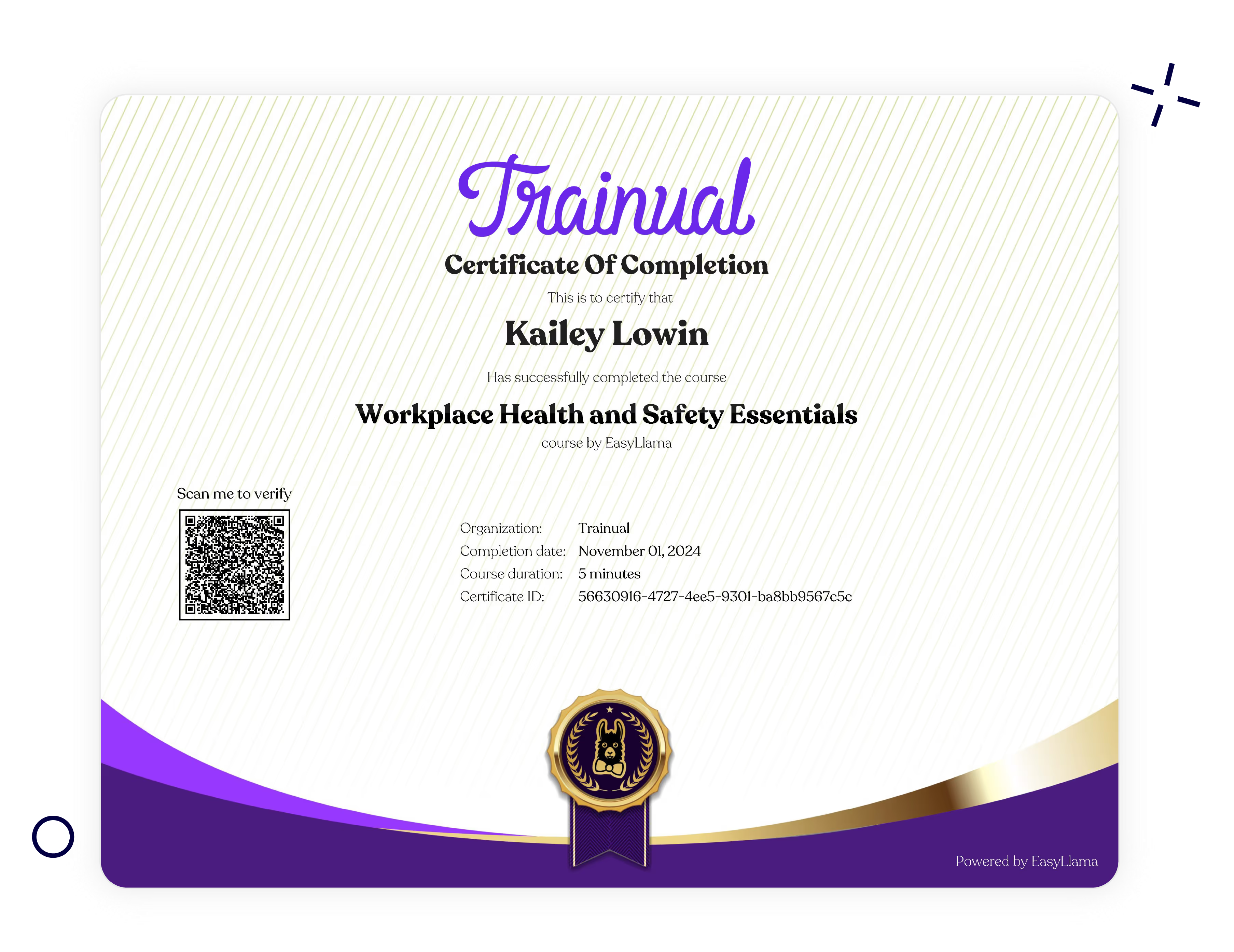
Can I purchase a single expert-built course a la carte?
Not at this time. However, by unlocking the unlimited "Courses" feature, you get access to all 400+ current trainings offered, and all that will be added in the future, giving you a wide variety of learning options that will grow alongside your company.
Can a course be completed using the Trainual mobile app?
Yes! If you haven't already, download the Trainual mobile app for on-the-go training.
Can I include a course as part of a training path?
Totally! Learn more about setting up training paths here.
Can I set up any in-app course notifications?
We do not currently provide notifications directly related to expert-built courses. However, you can track the latest activity for training under the "Reports" page.
Didn't expert-built courses used to be called premium courses?
It did! But as of February 2026, we've rebranded them to simply "Courses."
How can I submit my feedback and ideas about features?
If you'd like to share your thoughts about courses or think of something else you'd like to see added in the future, send us your feature requests and ideas.
Learn more about Trainual and industry compliance:
- Require your users to verify their logins with multi-factor authentication (MFA).
- Consider these ideas on how you can use Trainual without HIPAA concerns.
- Review Trainual's robust security measures that ensure the safety of your data.