![Trainual Logo (White).png]](https://help.trainual.com/hs-fs/hubfs/Logo/Trainual%20Logo%20(White).png?height=39&name=Trainual%20Logo%20(White).png)
Your training wins are worth celebrating. (And yes, you do deserve bragging rights!) So make it a little more fun… or should we say… gamified. 🤩
.gif?width=382&height=319&name=unnamed%20(2).gif)
👉 Before you start:
-
This feature is available under all Trainual training plans.
-
All permission levels have access to their individual streak and leaderboard status when this feature is enabled.
🗂️ Table of contents: Skip around to just the parts you need with these links.
Gamification overview:
Gamification energizes your team through recognition, progress tracking, and a fun dose of competition, keeping learning consistent well past onboarding.
🌟 Momentum (and vibes 😎) stay high by:
- 🔥 Tracking streaks. Users who maintain a 100% training completion at any point during the company set streak frequency lock in their progress.
- 📈 Climbing the leaderboard. Ranks use a combo of streaks andtraining progress to position users in order from highest to lowest. Hello competition!
To get started, roll for your first initiative…

Streaks:
Streaks track Trainual usage over time and help to incentivize your trainees to reach and maintain 100% completion on their content within company-defined periods.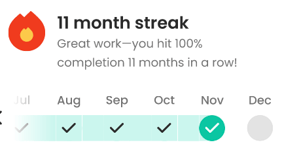
🔸 Set your company's streak frequency
Encourage your team to reach 100% completion every week, month, or quarter.
- Expand the "Account" options from the left-hand navigation menu.
- Choose "Settings."
- Open the "Gamification" tab.
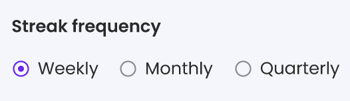
- Adjust the streak frequency: It's set to weekly by default, but you can update it to monthly or quarterly, if preferred.
- Hit the "Save" button to apply the setting.
📝 Please note: Streak frequencies can only be set at the company-wide level.
🔸 View your own streak data
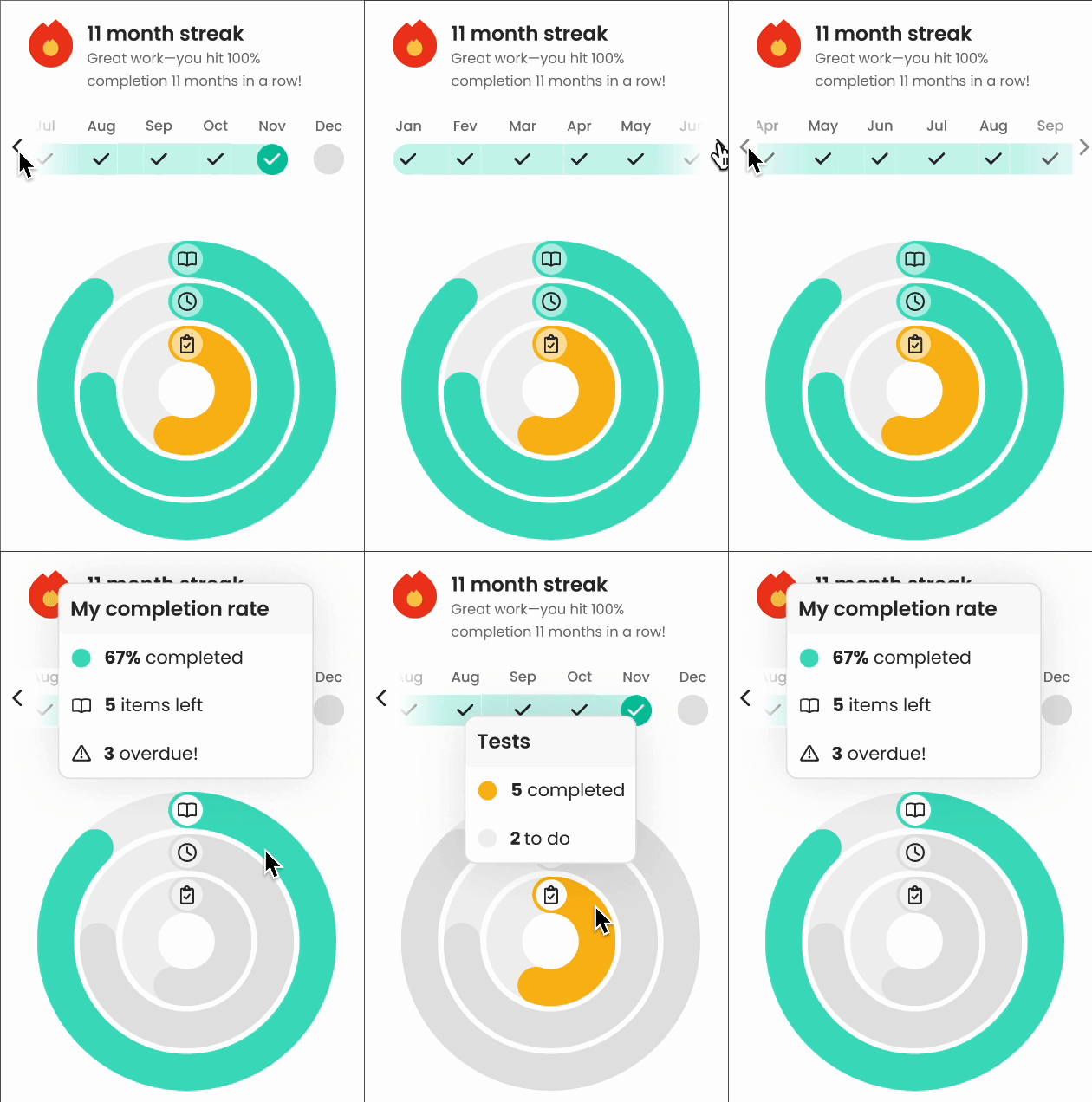
Visit the "Training" tab on your Home page. In the right-hand column, you'll see a timeline bar with your running streaks, as well as rings that break down the data around your current content completion rate, training time, and tests.
Scroll the streak bar and hover over the ringed sections to see additional info.
🔸 Maintain your streak
Complete training within your company's set frequency to maintain your streak. No to-dos in that period? Don't worry — your streak remains safe automatically! 😌
Leaderboard:
The leaderboard highlights user training using a combo of streaks and completion scores, giving everyone a clear view of their progress and some friendly competition.
🔸 View the leaderboard
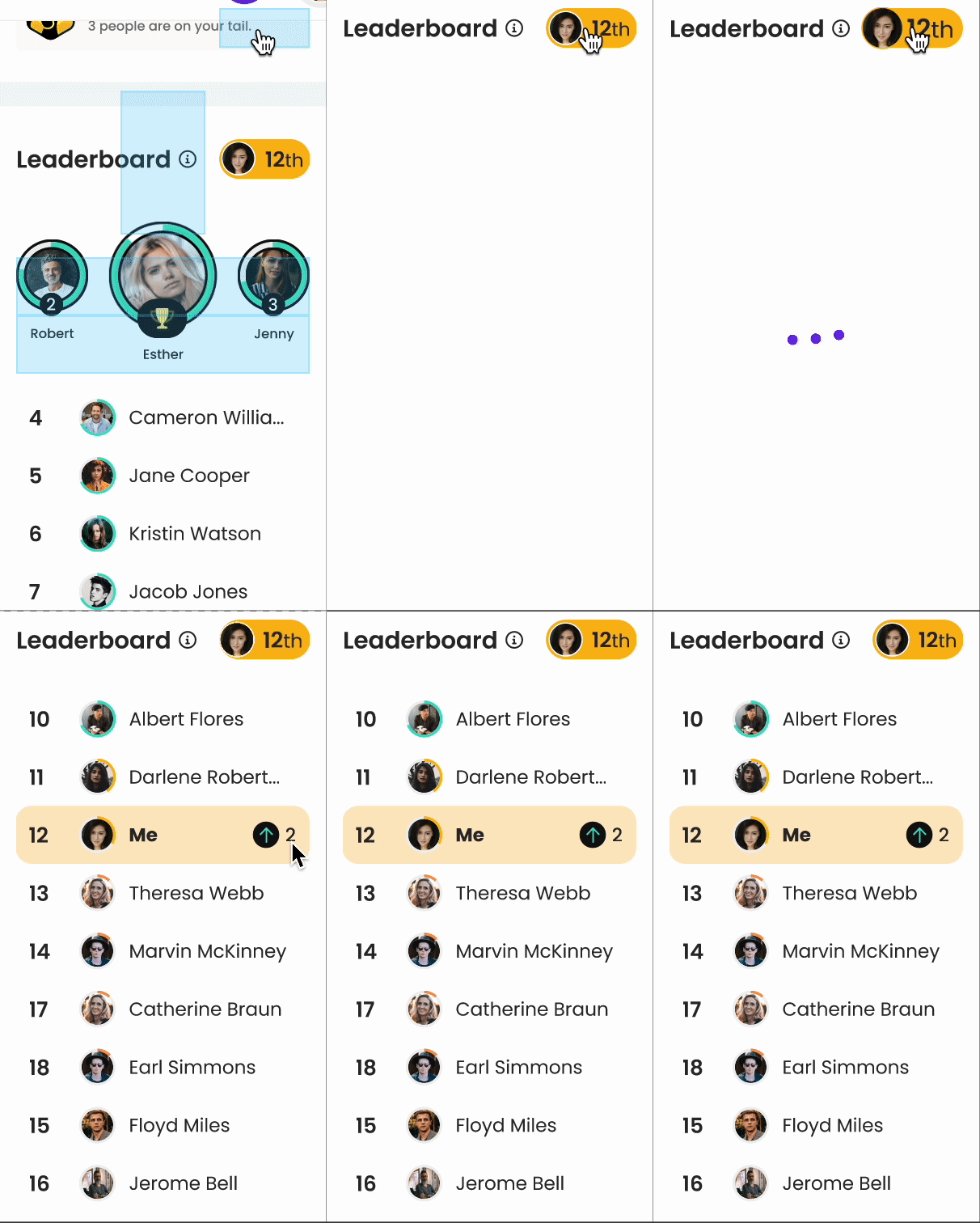
Visit the "Training" tab on your Home page. In the right-hand column, you'll see a section titled "Leaderboard." This is where you can see your current numerical ranking highlighted in yellow, and check out the current front-runners. 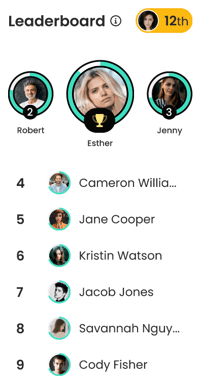
🔸 Track your leaderboard progress
Curious how all your hard work is paying off? Click on your rank number (highlighted in yellow) to see how your training progress has changed your standing.
Gamification notifications:
Emails help to double-down on training engagement through recognition and reminders — like leaderboard ranking celebrations, drop alerts, and streak nudges.
🔸 Leaderboard emails
Users will receive leaderboard-related notifications when they...
- Grab the coveted #1 spot.
- Enter the top 10.
- Slip out of the top 10.
🔸 Streak emails
Users will receive streak-related notifications when they...
- Hit their set streak frequency.
- Are close to losing their streak.
- These reminders are sent out in the following cadence:
- Weekly streaks → Thursday of the current week.
- Monthly streaks → Monday of the final week of the month.
- Quarterly streaks → Monday of the final week of the quarter.
- These reminders are sent out in the following cadence:
- Miss the mark on maintaining their streak.
📧 Please note: Users will not receive a streak email if their streaks are maintained.
Enable or disable gamification:
This one’s on by default (because it’s an easy win 🏆). But if you need to adjust it...
- Expand the "Account" options from the left-hand navigation menu.
- Choose "Settings."
- Open the "Gamification" tab.
- Toggle on or off the "Enable gamification" setting.

📝 Please note: Turning this setting off disables both streaks and the leaderboard.
Exclude groups from gamification
If certain people (like contractors, seasonal hires, or execs, for example) don’t need to be a part of this experience, you can opt them out under your company settings.
- Expand the "Account" options from the left-hand navigation menu.
- Choose "Settings."
- Open the "Gamification" tab.
- Locate the "Exceptions" section and select groups to exclude.

- Hit the "Save" button to apply the setting.
📝 Please note: Individual users cannot be selected to be excluded.
Tips and resources:
💡 Ideas for team adoption with gamification
Each company, industry, and team finds different ways to create enthusiasm around their company learning. Use these examples to help find ways to boost participation.
🎁 Bonus learning
Explore these extra materials to expand your understanding of how to use gamification.
- ♟️ Strategy guide: How to boost team engagement with gamification.
FAQs:
How does the leaderboard calculate rankings?
Mainly by prioritizing trainees' streak lengths first, then content completion percentage.
Can I filter or customize the view on my leaderboard?
No, but we'd love to hear from you if this is something you want to see added.
Can I disable gamification email notifications?
Gamification emails can’t be disabled company-wide, but each user can manage their own personal streak and leaderboard notifications under their "My Settings" page.
Can I export gamification data as a report?
No, but we'd love to hear from you if this is something you want to see adde
Is gamification available on the Trainual mobile app?
Not yet — we'll keep you posted about this release. 📣
How can I submit my feedback and ideas about features?
If you'd like to share your thoughts about Trainual gamification or think of something else you'd like to see added in the future, send us your feature requests and ideas.
Learn more about motivating your teams:
- Increase training progress recognition by enabling completion certificates.
- Deliver consistent, scalable learning, so your trainees know what to do first.
- Turn learner insights into better training with Trainual’s built-in feedback tool.