![Trainual Logo (White).png]](https://help.trainual.com/hs-fs/hubfs/Logo/Trainual%20Logo%20(White).png?height=39&name=Trainual%20Logo%20(White).png)
Connect isolved to Trainual to sync your existing employee data automatically, so your team is ready to invite teammates and update user data without the manual entries.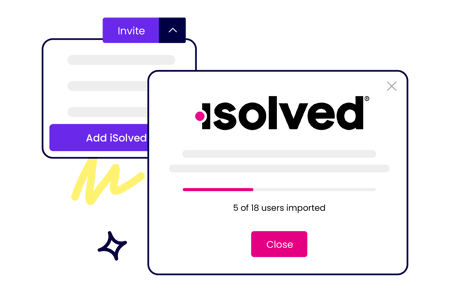
👉 Before you start:
- The isolved integration is available on all Trainual plans — training suite or operations suite alike. Contact our support team for any subscription help. 🤗
- You will need to have an Admin+ permission level in Trainual and an administrative access level in your isolved platform for this setup.
- For a full overview of HR or payroll system integrations with Trainual, click here.
🗂️ Table of contents: Skip around to just the parts you need with these links.
Connect your isolved account to Trainual:
- Expand the "Marketplaces" options tab from the left-hand navigation menu.
- Select "Integrations."
- Search for the “isolved” listing.
- Open the page and click on the “Connect Your isolved Account” button to begin the process for the very first time.
- Read through the listed documentation on the first pop-up window. By clicking the "Continue" button, you agree to all listed Terms of Service and End User Privacy Policy information.
- Grant permission to Trainual on the next page to access the directory, individual data, and employment information you have listed on your isolved account by pressing the “Continue” button.
- Sign in with your isolved credentials and hit the red "Next Step" button.
- Review and complete the two system Admin steps listed on the final page. Once these actions are complete, click the "I've read and completed the instructions" checkbox and push the "Complete" button to finalize.
📝 Please note:
- ⚠️ Repeated failed connection attempts can prevent your isolved integration from connecting successfully. To avoid this, make sure whoever sets up your integration has full administrative access in isolved.
-
You will need to wait approximately 10 minutes for the integration changes to show under your account settings, but that's it for the first part. Well done! 🙌
Invite isolved teammates to Trainual:
- Expand the "Account" options tab from the left-hand navigation menu.
- Select "Manage users."
- Click the drop-down menu arrow to the right of the “Add teammate” button and click “isolved User Import.”
- Click the checkbox to the left of each teammate you’d like to add to your Trainual account. To select them all at once, click the checkbox next to “Import” on the top left.
- Choose an email and permission level for each person you’re adding using the drop-down menus to the right of their name. And remember...
- To add someone using the isolved importer, a teammate must have an email address listed on file in your isolved platform.
- To double-check that your Trainual plan subscription has enough remaining seat invites before attempting to import new users.
- Choose one of the following options to finalize your updates:
- Add these teammates to your Trainual account, and send them invite emails now by clicking the "Import & invite" button.
- Add these teammates to your Trainual account without sending them invite emails by clicking the “Import & invite later" button.
📝 Please note: This integration is not an automated process, meaning every time you add someone new to your isolved account, they will not be automatically invited to join your Trainual account. You will need to go through the import process listed above each time you would like to import a new teammate from isolved into Trainual.
Disconnect the isolved integration:
- Expand the "Marketplaces" options tab from the left-hand navigation menu.
- Select "Integrations."
- Search for the “isolved” listing.
- Open the page and click on the "Disconnect" button to begin the process.
- Follow all remaining in-app prompts to finalize the disconnection.
FAQs:
Why am I seeing an "Error No Account Setup. This product is not syncing. The Employer needs to re-authenticate" message when attempting to integrate isolved?
Before retrying, confirm that you have full administrative access in isolved — this error most often means you don't hold that permission. If you're not an admin, a teammate with full isolved access will need to complete the setup instead. If the issue persists, please reach out to support@trainual.com with the details for troubleshooting help.
Does the isolved integration support connecting multiple entities?
No — the isolved integration currently supports single-entity connections only.
How can I submit my feedback and ideas about features?
If you'd like to share your thoughts about the isolved integration, or think of something else you'd like to see added, send us your feature requests and ideas.
Learn more about Trainual integrations:
- Check out all Trainual integration offerings to streamline more workflows.
- Capture knowledge and build training content in Slack.
- Secure team logins and make them more convenient by adding SSO.